
Amazon seller account customer service: Your 2026 Guide to Support
Master amazon seller account customer service in 2026. Discover official contact methods, navigate Seller Central.

Samaa
June 8, 2026Why Contacting amazon seller account customer service Can Be Challenging (and How to Overcome It)
Many Amazon sellers find themselves frustrated when trying to reach amazon seller account customer service. The primary challenge often stems from Amazon's layered support system, designed to filter inquiries and direct sellers to self-help resources first. This can make finding a direct contact method feel like a maze.
What are the common frustrations when seeking Amazon Seller Support?
- Difficulty finding direct phone numbers or chat options.
- Generic responses from initial contact points.
- Being redirected to help pages that don't fully address the specific issue.
- Varying quality of support depending on the agent.
Overcoming these challenges requires a strategic approach. Knowing the right steps and preparing thoroughly can significantly improve your chances of a quick and effective resolution.
The Official Ways to Contact Amazon Seller Support in 2026
Amazon provides several official channels for amazon seller account customer service, primarily accessible through your Seller Central account. These methods are designed to streamline support and direct you to the appropriate team.
How do I talk to a live person at Amazon Seller Central?
To talk to a live person, you typically need a Professional Selling Plan. Individual plan sellers are usually limited to email support. Professional sellers can request a callback or chat through the Seller Central "Contact Us" page. This often involves opening a case first.
The steps generally involve:
- Logging into your Seller Central account.
- Navigating to the "Help" section in the top right corner.
- Clicking "Get help and resources" or "Contact Us".
- Describing your issue to initiate contact.
- Selecting a call or chat option if available for your issue and account type.
Does Amazon Seller Support have a phone number?
Amazon Seller Support does not publish a direct, general phone number. Instead, professional sellers can request a phone call back through the "Contact Us" feature within Seller Central. This ensures that when you receive a call, the support agent already has your case details and account information.
What is the best way to contact Amazon Seller Support?
The "best" way often depends on the urgency and complexity of your issue. For immediate concerns, a phone callback or live chat (if available) can be most effective. For less urgent or highly detailed issues, opening a case via email allows you to provide comprehensive information and attach supporting documents. The official Amazon Seller Forums can also be a valuable resource for community advice and official announcements.
Raising a case in Seller Central is the most common method for contacting amazon seller account customer service. This process ensures your query is routed correctly and provides a record of your communication.
How do I open a case with Amazon Seller Support?
Follow these steps to open a support case:
- Log in to your Amazon Seller Central account.
- Hover over the "Help" button in the top right corner of the page.
- Click on "Get help and resources" or "Contact Us".
- On the "Contact Us" page, type a brief description of your issue in the search box.
- Amazon will attempt to provide self-help articles. If these don't resolve your issue, click "My issue is not listed" or proceed to contact options.
- Select the most relevant category for your problem. If no specific category fits, choose a general option like "Your Account" or "Other issues."
- Depending on your account type and the issue, you may be offered options for email, phone, or chat.
- Fill out the form with all necessary details, including order IDs, ASINs, screenshots, and a clear explanation of the problem.
- Submit your case. You can track its progress under "Case Log" in the Help section.
Always review your existing cases before creating new ones to avoid duplication and ensure continuity of support.
When to Use Phone, Email, or Chat for amazon seller account customer service
Choosing the right contact method for amazon seller account customer service can significantly impact resolution time and effectiveness. Each channel has its strengths and is best suited for different types of issues.
| Contact Method | Best For | Considerations |
|---|---|---|
| Phone Callback (Professional Sellers) | Urgent issues, complex problems requiring real-time discussion, account suspensions. | Requires a Professional Selling Plan. Request a callback through Seller Central. |
| Live Chat (Professional Sellers) | Quick questions, minor technical glitches, immediate clarification on policies. | Available for specific issue types. Good for getting quick answers without a call. |
| Email / Case Log (All Sellers) | Detailed issues with multiple steps, policy inquiries, requiring attachments (screenshots, documents), non-urgent matters. | Allows for comprehensive explanation. Provides a written record of communication. Response times can vary. |
| Seller Forums | General questions, seeking advice from other sellers, looking for solutions to common problems, checking for widespread issues. | Peer-to-peer support, not direct Amazon support. Amazon moderators also participate. |
For UK sellers dealing with negative reviews, understanding how to remove negative Amazon reviews often requires careful communication with Amazon support, typically via email to provide evidence.
Key Tips for Effective Communication with Amazon Seller Support
Effective communication is paramount when dealing with amazon seller account customer service. Poorly articulated issues can lead to delays and frustration.
What information do I need before contacting amazon seller account customer service?
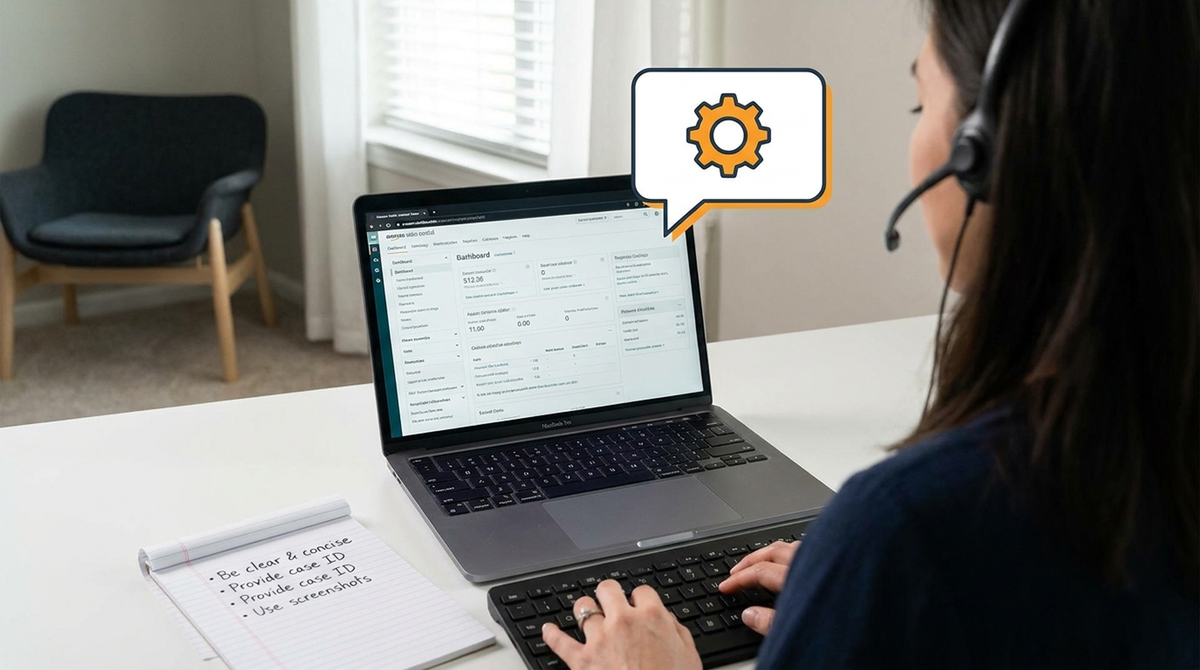
Before initiating contact, gather the following:
- Case IDs: If it's a follow-up, have the previous case ID ready.
- Order IDs: For order-specific issues.
- ASINs/SKUs: For product-related problems.
- Screenshots: Visual evidence of errors or policy violations.
- Policy References: If you believe a policy has been incorrectly applied.
- Clear Problem Statement: A concise summary of the issue and what resolution you seek.
How do I get a call back from Amazon Seller Support?
What should I do if Amazon Seller Support is not helpful?
If you find that your initial interaction with amazon seller account customer service is unhelpful, consider these steps:
- Reopen the Case: If the case was closed without resolution, you can often reopen it and request a different agent or a supervisor.
- Escalate Internally: Clearly state in your case that you wish to escalate the issue.
- Provide More Detail: Sometimes, the initial explanation wasn't clear enough. Provide additional context or evidence.
- Try a Different Channel: If email isn't working, try phone (if eligible) or vice-versa.
- Seek Community Advice: The Amazon Seller Forums can offer alternative solutions or insights from other sellers who faced similar issues.
Understanding Amazon FBA Customer Service: What's Covered?
What does Amazon FBA customer service cover for sellers?
Amazon's FBA customer service primarily covers post-order inquiries for FBA items, including:
- Shipping and delivery issues.
- Returns and refunds processing.
- Customer inquiries about FBA orders.
- Managing the overall customer experience for FBA products.
As an FBA seller, you generally do not need to handle these types of questions directly. However, for product-specific inquiries or pre-order questions, you are still responsible for communication via Buyer-Seller Messaging. It's crucial for managing your Amazon Seller Account effectively.
Third-Party Tools for Streamlining Your Amazon Seller Customer Service
While Amazon provides its own support channels, many sellers integrate third-party tools to enhance their customer service operations, especially for seller-fulfilled orders or specific tasks. These tools can help manage inquiries, automate responses, and track customer interactions more efficiently.
How can third-party tools improve amazon seller account customer service?
Third-party tools can offer benefits such as:
- Centralized communication dashboards for all customer messages.
- Automated response systems for common questions.
- Integration with other business software (e.g., CRM, inventory management).
- Advanced analytics on customer feedback and support performance.
- Assistance with tasks like detecting fake Amazon reviews.
These tools are particularly useful for high-volume sellers looking to scale their customer service without increasing manual workload.
Common Issues Requiring amazon seller account customer service and How to Expedite Solutions
Sellers often contact amazon seller account customer service for a range of issues. Knowing the most common problems and how to approach them can speed up resolution.
What are frequent reasons sellers contact Amazon Support?
- Listing errors or suppression.
- Account health issues or suspensions.
- Payment and disbursement inquiries.
- FBA inventory discrepancies.
- Policy violations and appeals.
- Brand Registry issues.
Reddit Question: "My Amazon listing was suppressed, how do I get it reinstated quickly?"
For listing suppression, immediately check your Account Health Dashboard for specific reasons. Open a case with amazon seller account customer service, providing all relevant ASINs, clear explanations, and any requested documentation. Be polite, persistent, and follow up regularly. Addressing the root cause identified by Amazon is key to reinstatement.
Recent Updates to Amazon Seller Support Channels You Need to Know (2026)
Amazon continuously refines its seller support structure. Staying informed about the latest changes is crucial for effective communication with amazon seller account customer service.
What are the latest changes to Amazon Seller Central communication in 2026?
As of 2026, several updates impact how sellers interact with Amazon support and manage their accounts:
- AI Agent Policy: Effective March 4, 2026, Amazon updated its Business Solutions Agreement to include an "Agent Policy" with new requirements for AI usage and automated systems. This clarifies rules for tools accessing Amazon Services.
- FBA Prep & Labeling Service Discontinuation (US): From January 1, 2026, Amazon discontinued its FBA Prep & Labeling service in the US, shifting full prep responsibility to sellers. While not directly customer service, this can lead to more inquiries if prep is mishandled.
- Return Processing Fees: Amazon began applying a Returns Processing Fee to high-return rate categories in 2026, especially for apparel. This change impacts how sellers manage returns and may lead to new types of support inquiries.
- Customer Service Quality Insights: Amazon launched a dashboard to help self-shipping sellers compare their customer service quality to top performers, encouraging improvement.
These Amazon Seller Central 2026 updates highlight a trend towards greater automation and stricter compliance, requiring sellers to be more proactive in their account management and support interactions.
Frequently Asked Questions About amazon seller account customer service
To speak with a live person, log into your Seller Central account, go to "Help," then "Contact Us." Professional sellers can typically request a phone call back or engage in live chat after initiating a case, allowing Amazon to connect you with an agent who has your case details.
You open a case by logging into Seller Central, clicking "Help" in the top right, then "Contact Us." Describe your issue, and Amazon will guide you through selecting categories and submitting a detailed form, often with options for email, phone, or chat support.
The most effective method depends on your issue. For urgent, complex problems, a phone callback (if eligible) is often best. For detailed issues requiring documentation, opening a case via email is suitable. For quick questions, live chat can be efficient. Always start within your Seller Central account.
No, Amazon Seller Support does not provide a public, direct phone number. Instead, professional sellers can request a callback via the "Contact Us" section within their Seller Central account. This ensures that the support team has your account information and context before contacting you.
Before contacting support, prepare all relevant information such as Order IDs, ASINs, SKUs, screenshots, and a clear, concise description of your problem. Include any previous case IDs if you are following up on an existing issue. This preparation helps expedite the resolution process.
Conclusion
Ready to Work With a Trusted Bluebug Expert?
Bluebug.io helps UK Amazon sellers legally remove negative reviews, protect their reputation, improve rankings, boost sales, and grow sustainably.
Sources
4 refrences
Keep reading
How to sell products on amazon: Your 2026 Definitive UK Guide
How to sell products on amazon: Learn how to sell products on Amazon in 2026 with our comprehensive UK guide. Master setup, strategies, and review. Learn more.
Star rating calculator: Boost Amazon Sales & Remove Negative Reviews
Use our Star rating calculator to achieve your target rating on Amazon. Learn legal strategies to improve reviews and remove negative feedback for UK sellers.
Amazon sales business: Your 2026 Guide to Profit & Brand Protection in the UK
Master your amazon sales business in 2026 with our comprehensive UK guide. Learn models, strategies, and how to protect your brand. Contact Us today!